What Is Goshuin Meguri?
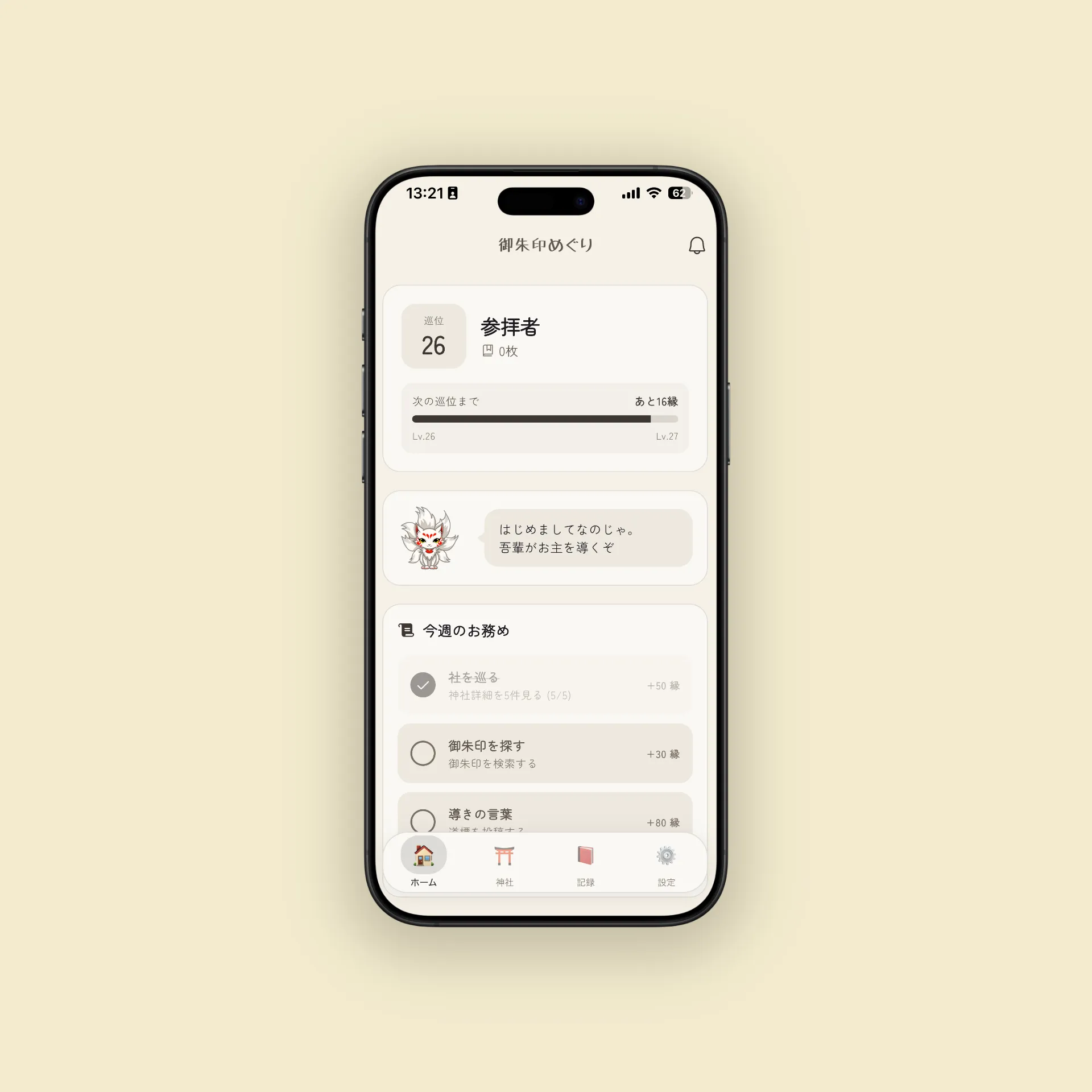
Goshuin Meguri is an app that makes collecting goshuin and visiting shrines more fun. It’s not just a record-keeping tool — the app turns your pilgrimage into a game-like experience. You level up with every shrine visit, and unlock achievement badges (Omamori) along the way.
Key Features
- 📷 Beautifully photograph and archive your goshuin
- 📝 Save visit logs with dates, notes, and impressions
- ⬆️ Level up as you visit more shrines — aim for all 11 rank titles
- 🔓 Unlock new features as your level grows — tips, stats, stamp info submissions, and more
- 🕯️ Leave Michishirube (tips) for fellow travelers, and light a flame to say thanks
- 🦊 AI guide Byakko suggests history, shrine lore, and visit routes
The design is inspired by Japanese aesthetics mixed with the dark, atmospheric worlds of games like Dark Souls and Ghost of Tsushima — featuring an anonymous community of mutual aid, much like the message system in Dark Souls.
Getting Started
1. Register a Goshuin
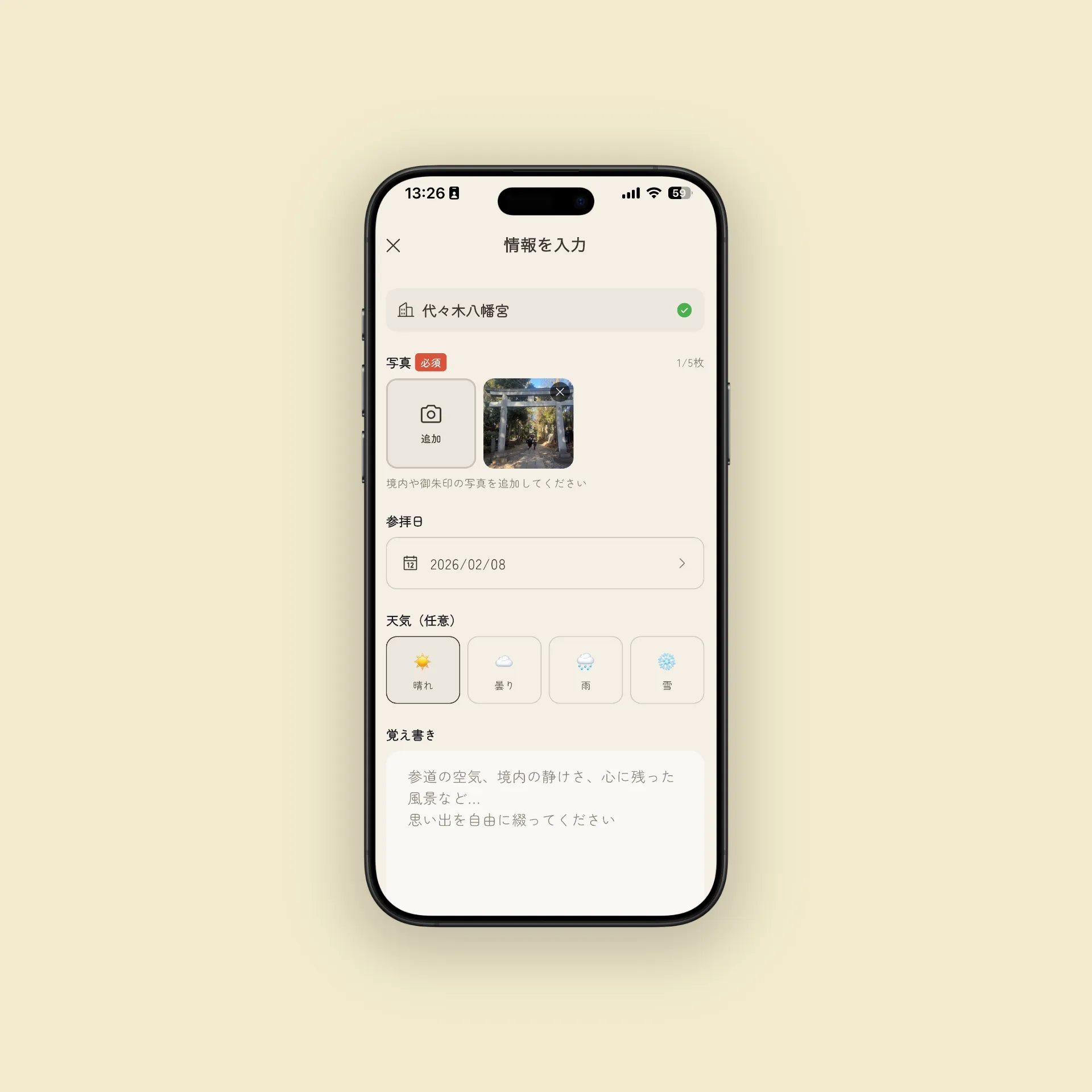
After visiting a shrine, open the app and photograph your goshuin.
- Search for the shrine by name. If it’s in the database, the official name and location auto-fill
- The visit date defaults to today. You can change it to register past visits
- Add notes and impressions freely — the weather, the atmosphere, anything that moved you
For the best photos, shoot in a bright spot, straight from above. Avoid shadows so the brushwork and ink show clearly.
2. Write a Visit Log
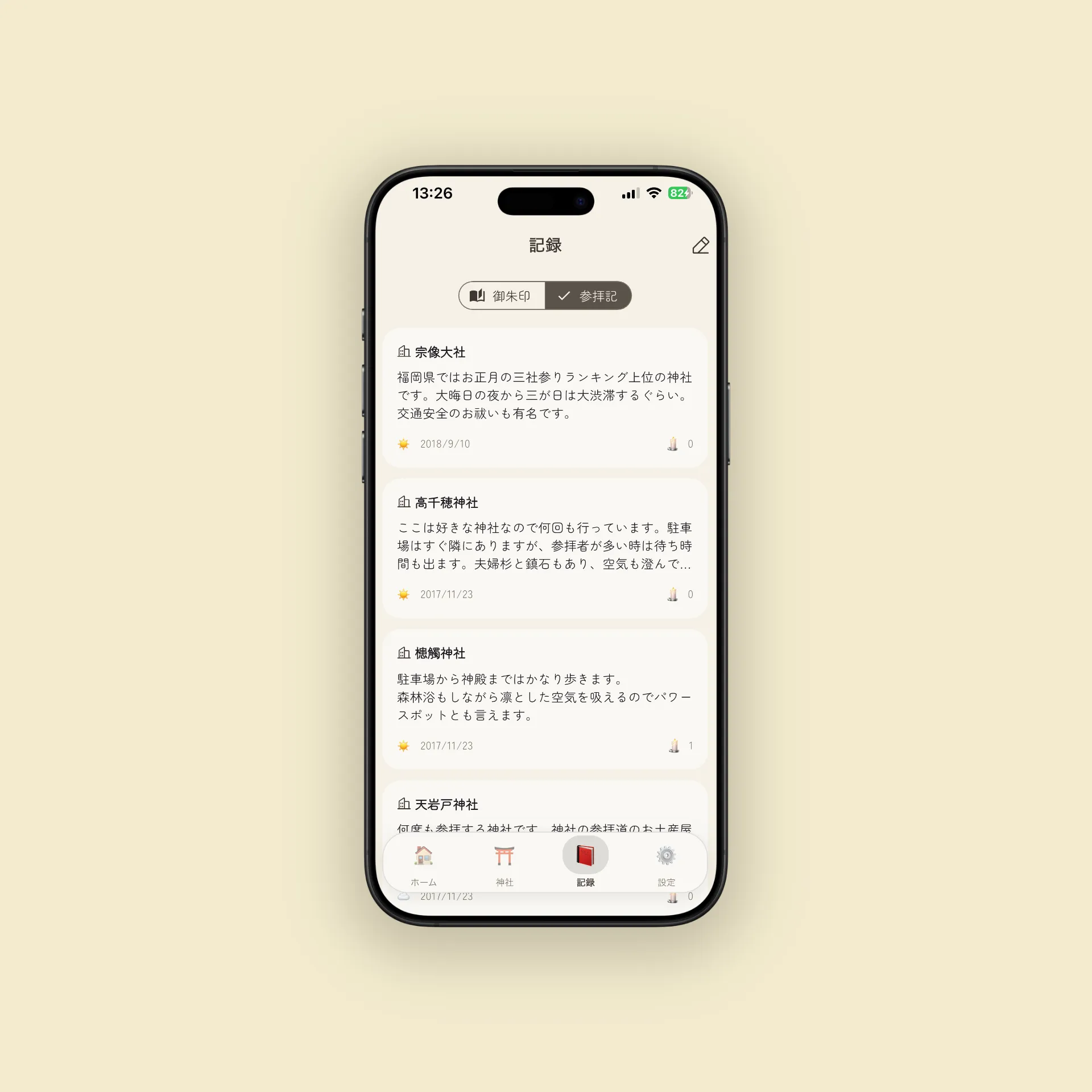
Separately from goshuin, you can keep a visit log. This is useful for shrines where you didn’t receive a goshuin but still want to remember the experience.
Good things to include:
- How you felt, the atmosphere of the grounds
- Weather and seasonal details (“cherry blossoms were in full bloom,” “light snow was falling”)
- Memorable spots or structures
- Notes about shrines you want to visit next
Visit logs are shared anonymously with other pilgrims. No usernames are displayed — the community values the content itself, not who wrote it. Think of it like the message system in Dark Souls: strangers helping strangers. Your own posts are marked with a “You” badge so you can find them later.
3. Leave a Michishirube (Tip)
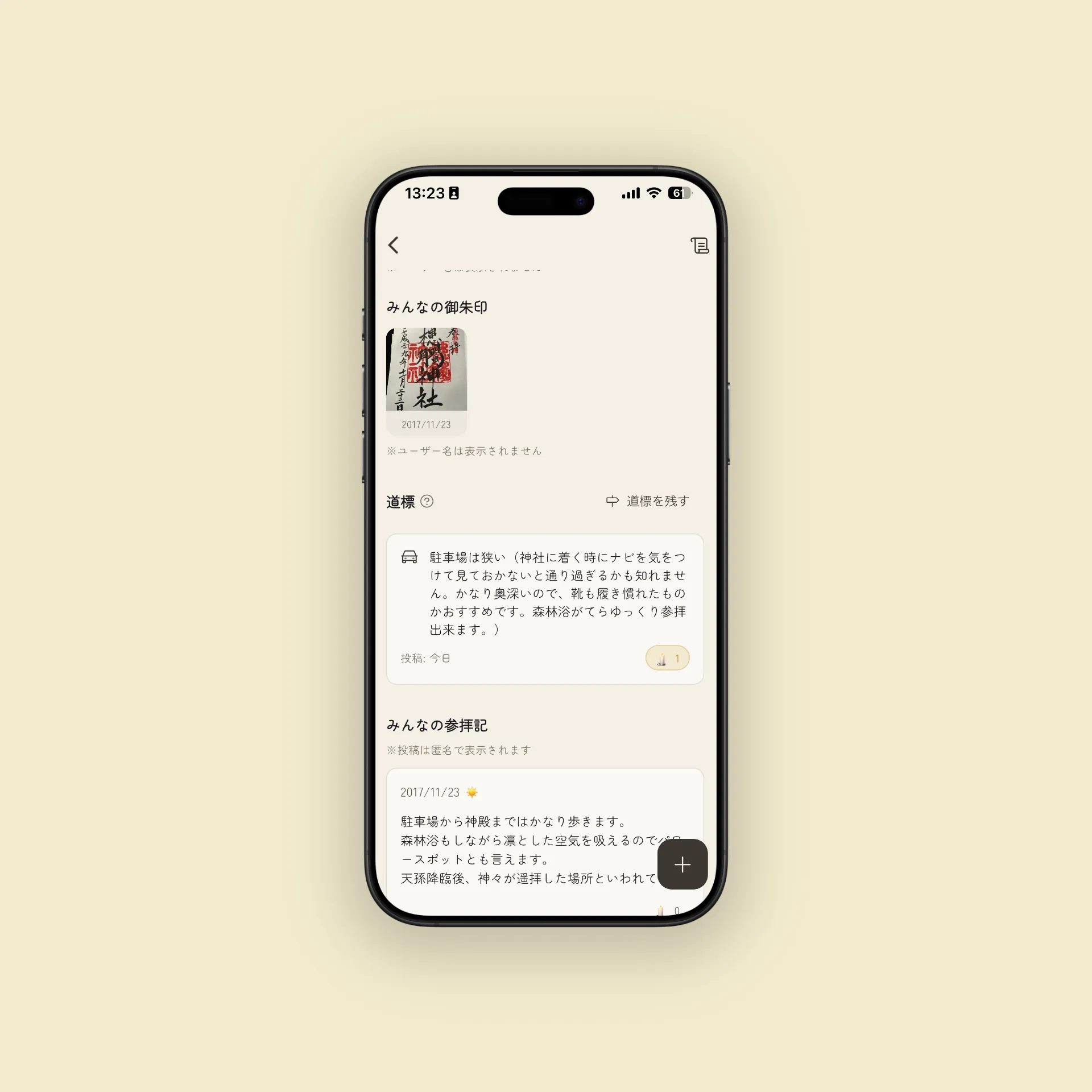
A Michishirube is a short, helpful hint for the next traveler. Share the kind of info you wish you’d known before your visit.
Examples:
- “The parking lot is behind the shrine, down a narrow lane”
- “Only pre-written goshuin are available (as of Feb 2026)”
- “The plum blossoms were gorgeous — mid-February is the sweet spot”
- “The goshuin counter is behind the main hall, on the left — easy to miss”
- “It’s a 15-min walk from the station, but the hill is steep — leave extra time”
If a tip is helpful, you can light a flame 🕯️ to show your thanks. Tips with more flames rise in visibility, like bonfires guiding the way.
Leveling Up
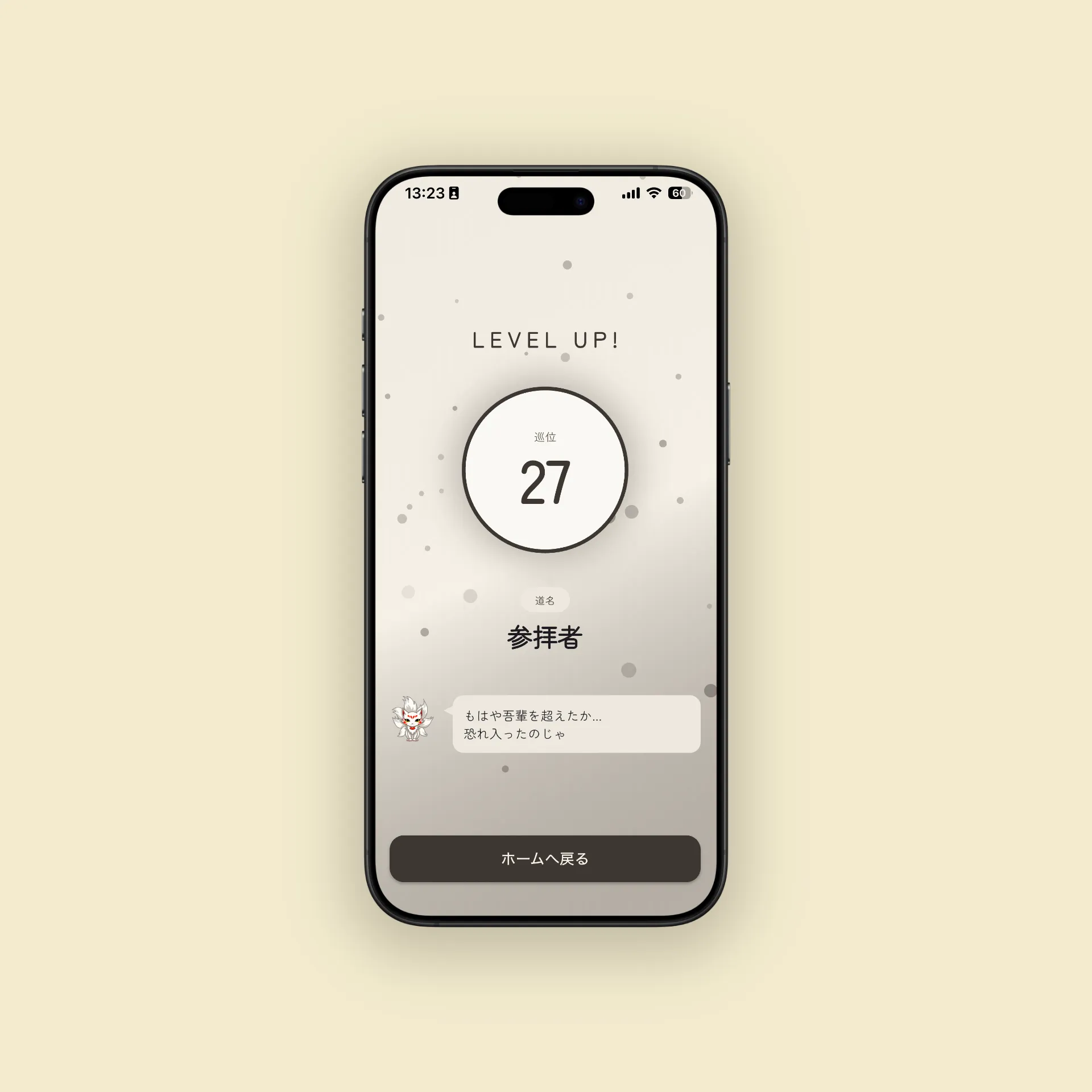
One of the app’s signature features is the leveling system that rewards you for visiting shrines.
Rank Titles
As you level up, your rank title (dōmei) changes. You start as “First Shrine Visitor” and progress through titles like “Seeker” and “Pilgrimage Master.” There are 11 ranks in total — reaching the top is a journey in itself.
How to Earn XP
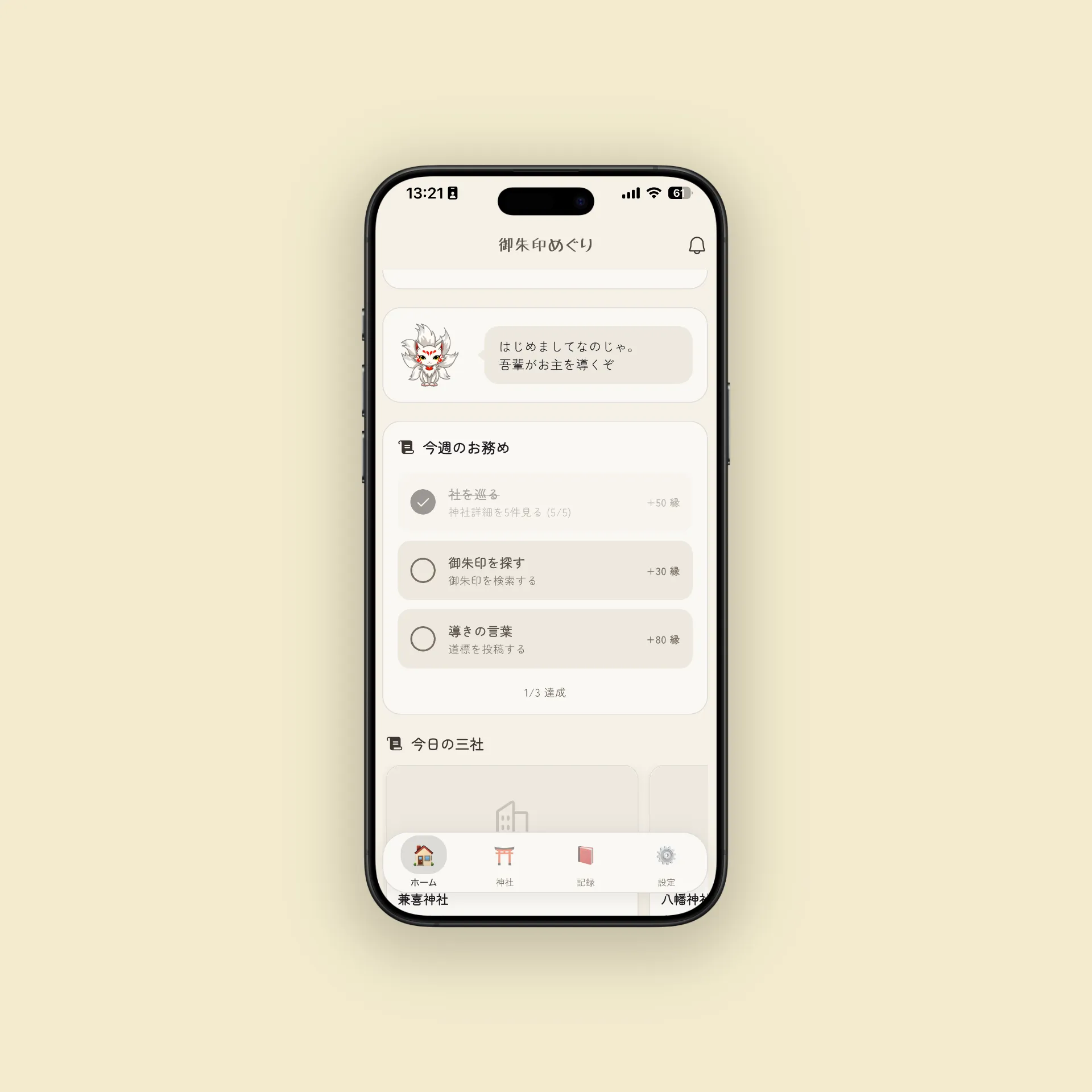
You earn experience through various actions in the app:
- Register a goshuin: Photograph and record a new goshuin
- Post a visit log: Share your impressions and shrine experience
- Leave a Michishirube: Post a tip for other travelers
- Complete Otsutome (daily missions): Achieve small daily goals
Level-ups trigger a special animation. There’s something deeply satisfying about earning a new rank title.
Feature Unlocks — A World That Grows With You
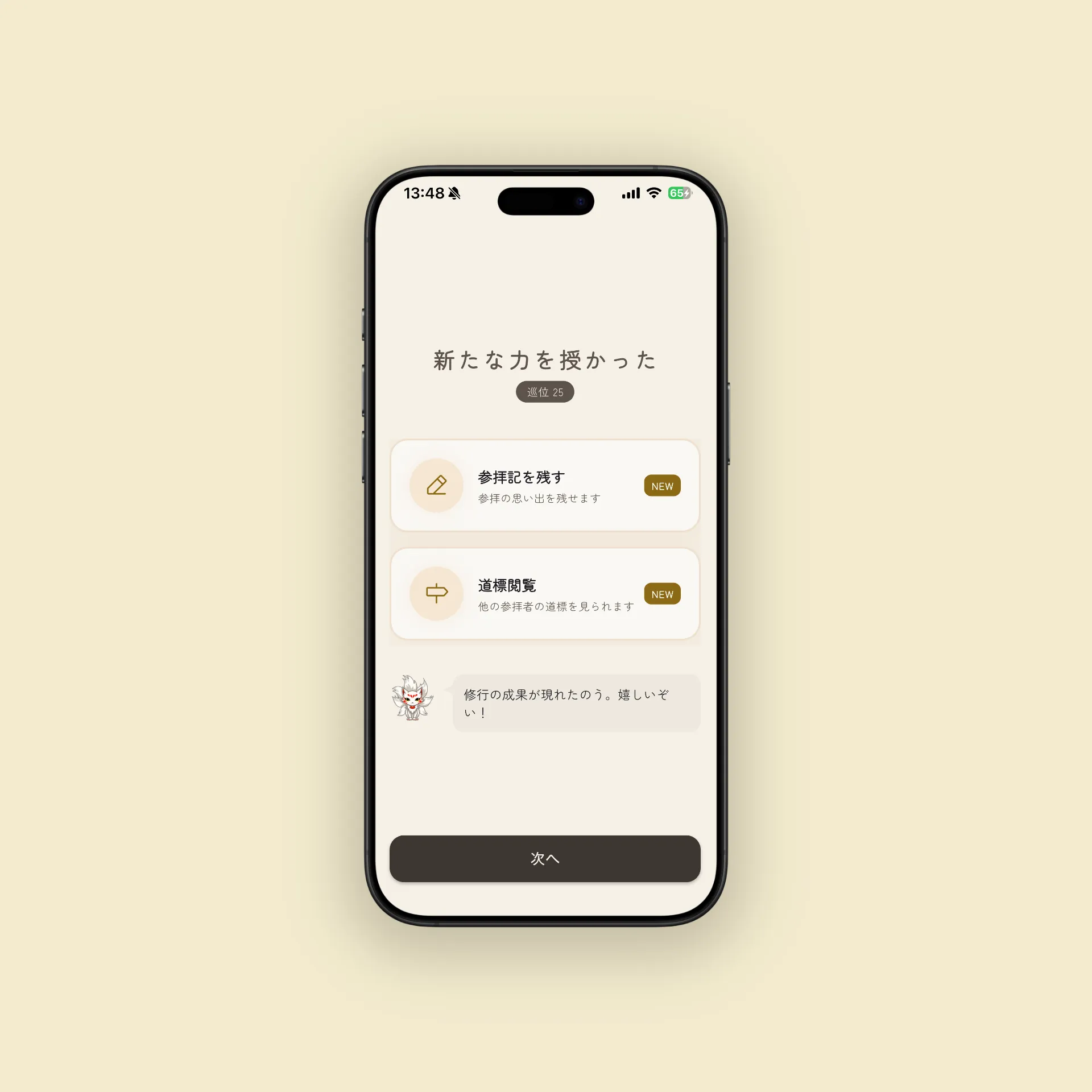
In Goshuin Meguri, new features unlock as you level up. You start with simple goshuin registration, and as your pilgrimage deepens, community features and analysis tools gradually become available.
Unlock Table
| Level | Feature Unlocked |
|---|---|
| Lv.1 | Register goshuin · Search shrines · Save favorites |
| Lv.3 | Post visit logs — Share impressions and photos |
| Lv.5 | Read Michishirube — See tips from other travelers |
| Lv.7 | Light a flame on visit logs — Thank others with 🕯️ |
| Lv.8 | Shrine of the Day — Daily shrine recommendation |
| Lv.10 | Post Michishirube — Leave your own tips |
| Lv.15 | Light a flame on Michishirube — 🕯️ for tips unlocked |
| Lv.20 | Submit stamp info — Share goshuin availability details |
| Lv.25 | View statistics — Analyze and visualize your visit data |
A Journey of Discovery
You start with just goshuin registration and shrine search. At Level 3, you can post visit logs. At Level 5, you can read tips. At Level 10, you can write your own tips. The more you explore, the more the app opens up.
Level 10 is a major milestone — the moment you can start leaving tips. Until then, you’ve been helped by the tips of other travelers. Now, you become the one lighting the way. In Dark Souls terms, it’s the moment you go from reading messages to writing them.
At Level 25, the statistics feature lets you look back on your pilgrimage in data: visits by prefecture, monthly pace, and more — a special view reserved for those who’ve walked the path.
En (Connection Points)
Various actions in the app earn you En (connection points) — named after the Japanese concept of fated connections.
How to Earn En
- Register a goshuin
- Post a visit log
- Leave a Michishirube
- Light a flame on a Michishirube
- Complete daily Otsutome (missions)
What En Is For
Accumulated En can be used for profile customization and more. Build a profile that reflects your unique pilgrimage journey.
Byakko — Your AI Guide
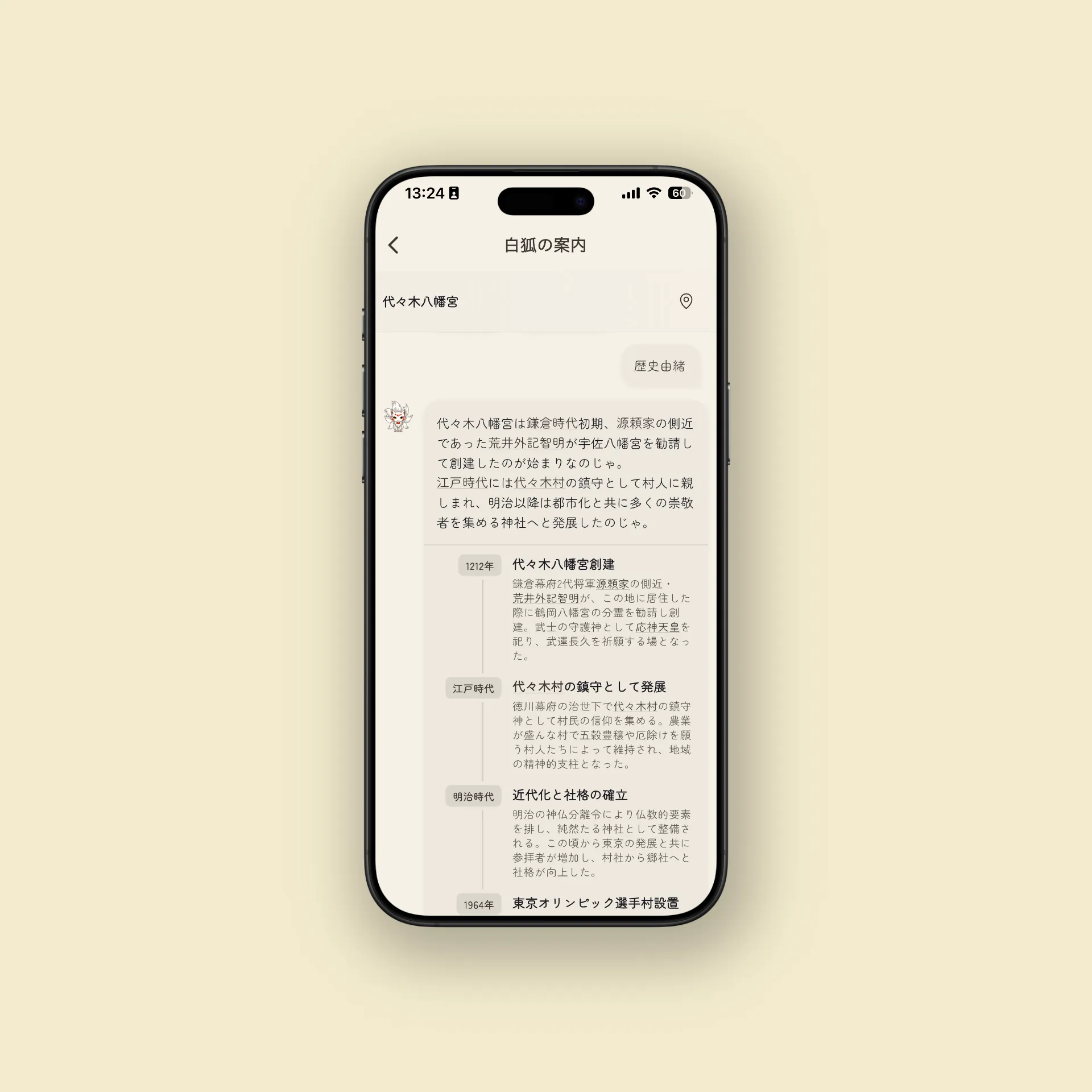
The app’s mascot, Byakko (a white fox with red markings), isn’t just cute — it’s a fully functional AI guide that supports your pilgrimage.
What Byakko Can Do
- Explain shrine history and lore: Research before your visit or ask “Who is the deity enshrined here?” while you’re there
- Suggest visit routes: Get recommendations based on area, theme, or purpose
- Answer practical goshuin questions: “Is it pre-written only?” “How much is the fee?” — Byakko has you covered
Byakko is useful for both pre-visit research and post-visit reflection.
Tips for Getting the Most Out of the App
Photograph in Good Light
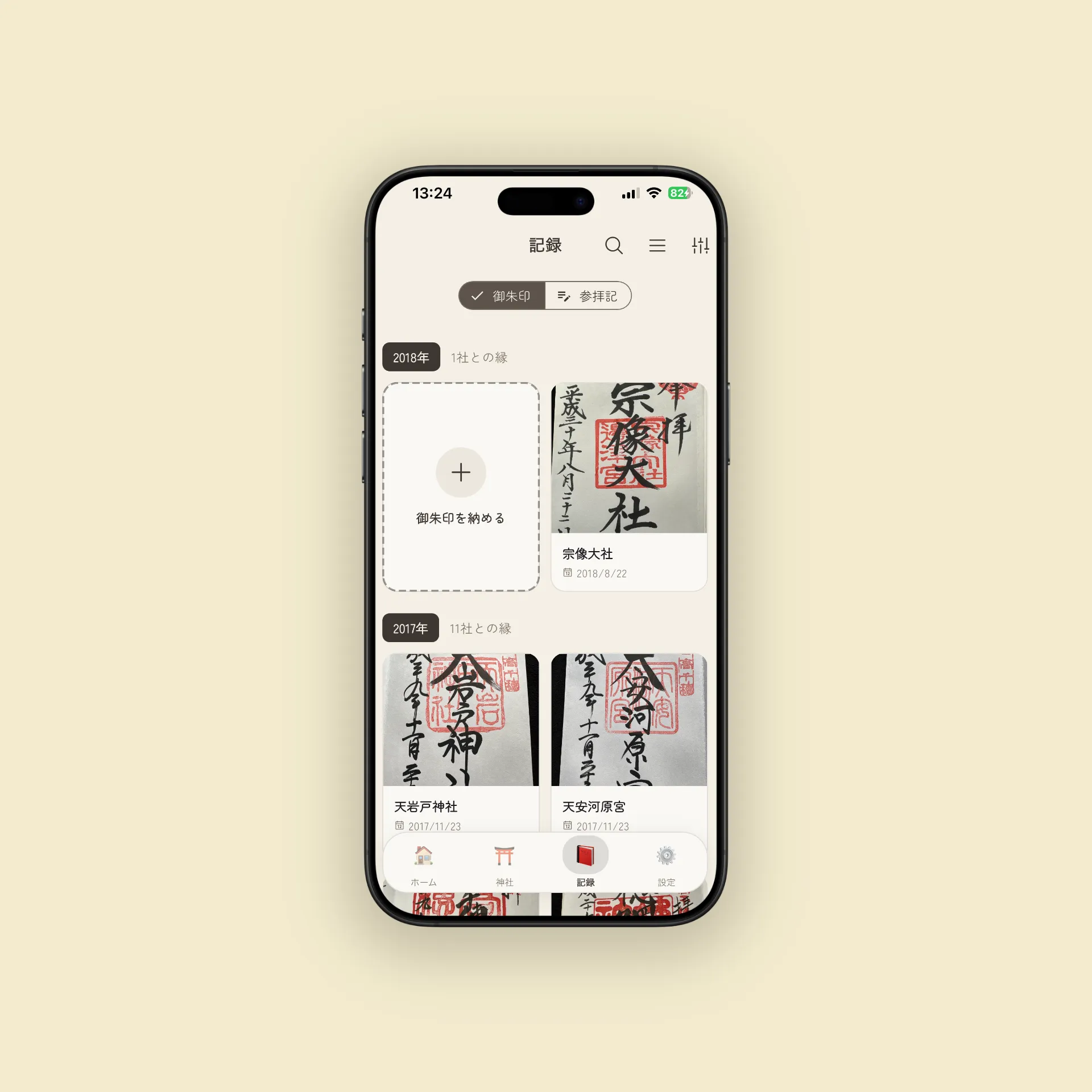
Goshuin photographs look best under natural light. Avoid direct sunlight (it creates harsh shadows) — bright shade or indirect window light works best.
Photography tips:
- Place your goshuincho flat and shoot straight from above
- Watch for hand shadows
- Don’t use flash (it causes reflection)
- Slightly increase brightness on your phone camera so the white washi paper looks clean
Record While It’s Fresh
Capture your impressions right after the visit. If you think “I’ll write it later,” the details — the atmosphere, the seasonal scents, the emotions — start to fade. Even a quick note on the train ride home is enough to bring everything back when you read it months later.
Ask Byakko
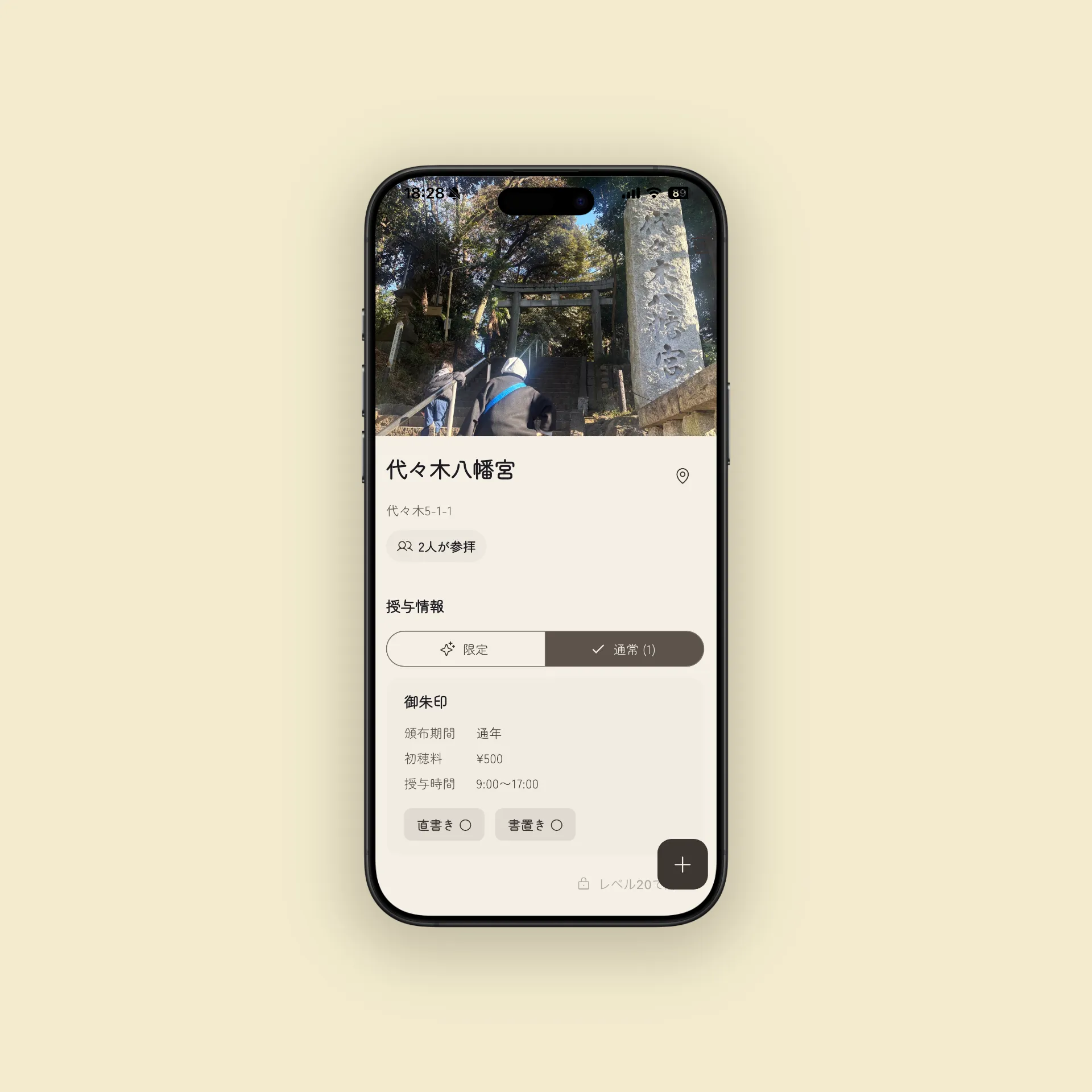
Not sure where to go next? Ask Byakko. The AI guide can share shrine history, suggest routes, and answer questions like “Where can I find a shrine for love luck in Tokyo?” or “Which shrines in Kyoto have the most beautiful goshuin?”
Help Others With Michishirube
If you learned something useful during your visit, leave a tip. “The parking lot was hard to find.” “Goshuin hours end at 3 PM.” Even small details can make a big difference for the next traveler. The tip you leave today might guide a stranger’s pilgrimage tomorrow.
Start your pilgrimage journey with the Goshuin Meguri app. Recording goshuin, leveling up, unlocking features, chatting with Byakko — every element enriches your experience. Download the app and take your first step.